🚀 Retro Palette Studio — Major Update Released
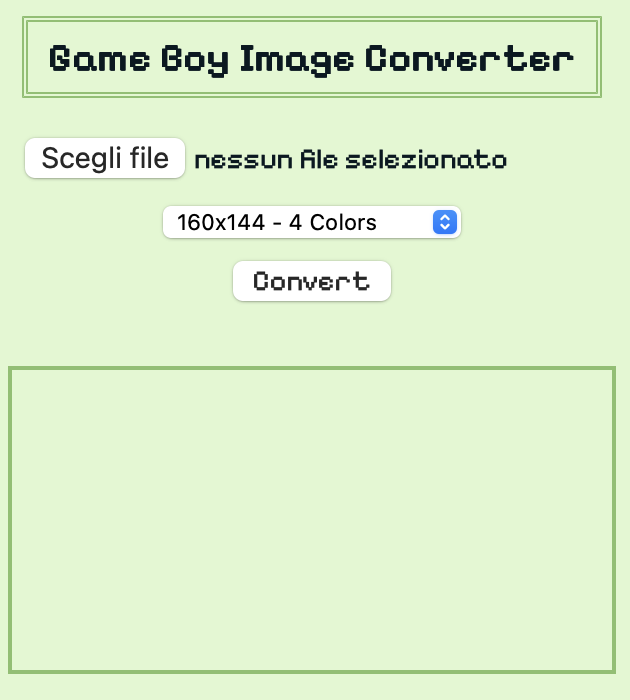
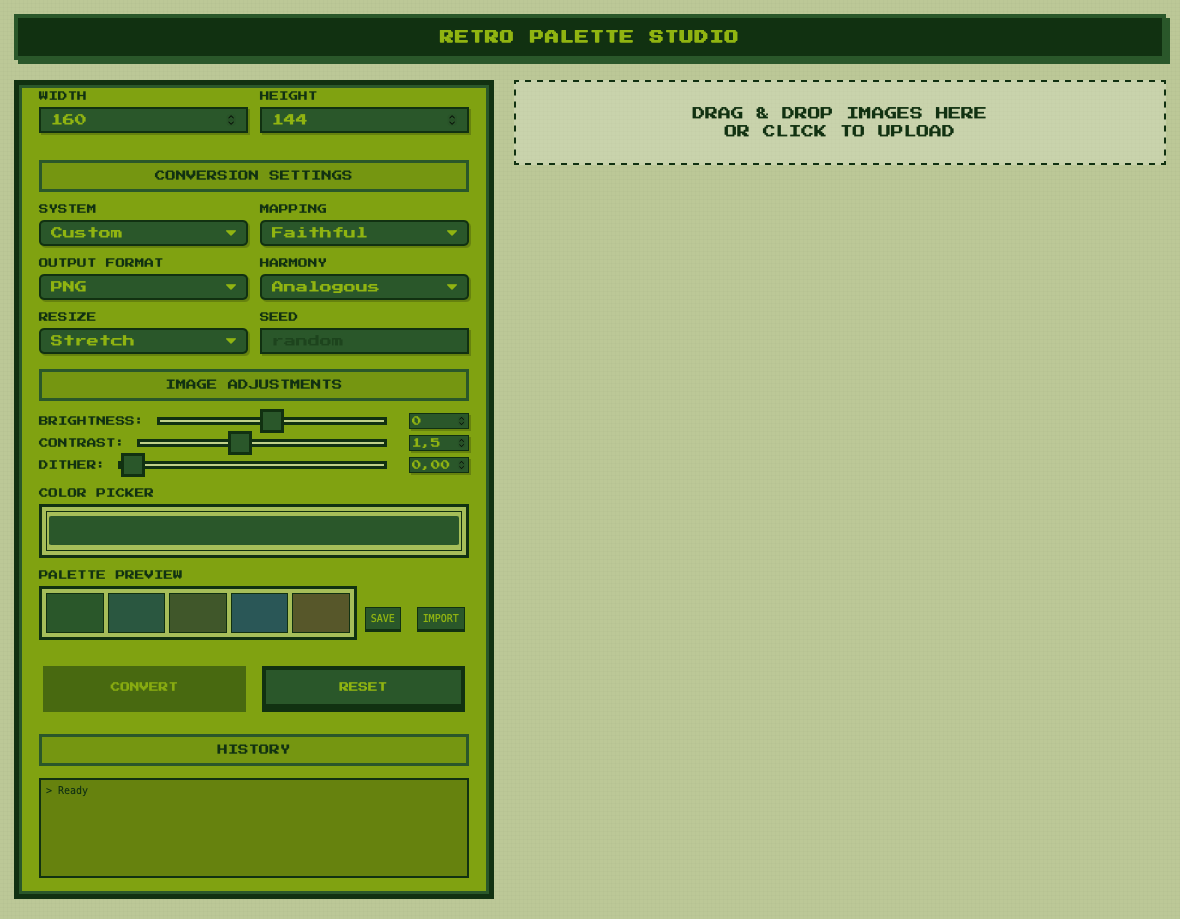
The tool went from this ➡️ to this! Isn't that a wow?
🔥 The Game Boy Image Converter is now Retro Palette Studio!
The new version of our image converter is finally live, and it’s the biggest upgrade the tool has received since its first release. This update focuses on stability, correctness, palette accuracy, workflow improvements, and a fully redesigned visual interface consistent with classic hardware UIs.
🌈 Complete Palette System Overhaul
The palette engine has been rebuilt from the ground up. This includes:
- Accurate hardware palettes for Game Boy, Game Boy Color, NES, SNES, C64, Amiga, Atari, PICO-8, MSX, ZX, EGA, VGA, Apple II, Macintosh, and more.
- Perfectly synchronized palette preview for all systems.
- Full RGB normalization, no more hex/RGB mixing.
- Correct conversion behavior for all palette modes.
The result is a consistent, predictable color pipeline across the entire tool.
🎨 Custom Harmony System (Rewritten)
All harmony modes now behave as expected:
- Analogous
- Monochromatic
- Complementary
- Triadic
- Saturation
- 60-30-10
- Random (with Chaos Level)
- Custom (5-swatch palette builder)
Every mode generates a full, usable palette and updates both preview and conversion in real time.
🧪 Conversion Engine Improvements
- Unified palette retrieval with a single function, ensuring identical color behavior for all features.
- Improved brightness, contrast, and dithering handling.
- More stable batch conversion.
- More reliable BMP 1-bit output for Game Boy Pocket and printer workflows.
🖥️ UI Overhaul
The interface has been polished to match classic retro-hardware aesthetics:
- Consistent color scheme
- Improved panel hierarchy
- Clearer controls
- Properly aligned sections
- Cleaner palette preview
- Easier palette editing and importing
- Support and upload icons redesigned in a retro-friendly style
Everything is easier to read, easier to use, and visually coherent.
📦 New Features
- Import palette from file
- Export palette in JSON/HEX format
- Chaos Level slider for Random harmony
- Improved custom palette editor
- Better drag & drop area
- Optimized layout for embedded use on itch.io
This version is now stable enough to be used in production for GB Studio games, pixel art workflows, or any retro-image project.
🔧 Under the Hood
A huge number of hidden inconsistencies, duplicated logic, and fragile branches were removed. The palette system is now centralized, deterministic, and much easier to maintain.
If you used older versions, you should immediately notice:
- more accurate conversions
- cleaner palette transitions
- better previews
- fewer unexpected behaviors
This is the most reliable version so far.
💬 What’s Next
Development continues with:
- Video-to-retro-palette converter
- LUT export (.cube)
- Layered palettes (GB+C64 hybrid modes)
- Preset management
- Standalone downloadable version
If you’d like to see these features arrive sooner, supporting the project helps a lot.
❤️ Support
This tool is free and runs directly in your browser. If it’s useful in your workflow, game, or art project, consider supporting it through the itch.io page. It helps keep development active and allows for faster updates.
Files
Retro Palette Studio - Image Converter and Resizer & Palette Generator
Advanced retro-image converter with hardware palettes, color-harmony generator, resize, and use presets
| Status | Released |
| Category | Tool |
| Publisher | |
| Author | NOW IN TIME |
| Tags | 8-Bit, AI Generated, Asset Pack, converter, Game Boy, Game Boy ROM, Generator, Pixel Art, tool, User Interface (UI) |
| Languages | English |
| Accessibility | Configurable controls, High-contrast, One button |
More posts
- Major update coming soon...25 days ago
- Images to Game Boy!Jun 12, 2025
Leave a comment
Log in with itch.io to leave a comment.